How people search for pest control
Most pest control searches name the pest or the job: termite treatment, rodent control, bed bug removal, a termite inspection before a home sale. Others are about speed, such as “exterminator near me” or “same day pest control”, or about the type of property, such as a restaurant or an office. Searches for recurring plans come from customers who want ongoing service rather than a single visit.
Each of these needs its own ad group and page. For a Dallas company, termite treatment, rodent control and recurring pest prevention would each get a separate page and search campaign.
- By pest: “termite treatment”, “rat exterminator”, “bed bug treatment”.
- Urgent: “exterminator near me”, “same day pest control”.
- Commercial: “restaurant pest control”, “commercial pest control”.
- To exclude: DIY products, jobs and licensing courses, pests you don’t treat.
Campaigns, service area and schedule
Search campaigns come first, split by pest group, and by residential and commercial work where the offer differs. Location targeting follows the area your technicians actually cover: a radius around your base or a list of cities and ZIP codes. Google suggests considering the “Presence” option when you only want to reach people in your target locations, not people elsewhere who are interested in them. In Dallas, we separate the city from the rest of Dallas–Fort Worth and add suburbs only where you take on jobs.
Set an ad schedule for the hours your office answers, and schedule call assets to show only when you can take calls. If your Google Business Profile shows an address, location assets can add it to your ads.
Google’s Local services policy requires advanced verification in the US for locksmith and garage door repair ads. Pest control isn’t on that list, so standard Search campaigns can run without it, although Google can ask any advertiser to complete advertiser verification. Google’s separate Local Services Ads product lists pest control services, depending on country and locality, with screening that may include licence, insurance and background checks.
Keywords and negative keywords
Keywords follow your service pages: one ad group per pest or treatment, with phrase and exact match on the core terms while the account gathers data. Broad match reaches more searches, but Google recommends using it with Smart Bidding, which in turn needs conversion tracking.
Pest control attracts many do-it-yourself searches. Typical negatives are product and store terms (“spray”, “trap”, “powder”, hardware store names), jobs and training (“pest control technician jobs”, “pest control license course”), pet treatments (“flea treatment for dogs”) and any pest you don’t handle. Some words cut both ways: “bait” can be a search for a DIY product or for your own termite bait station service, so check the search terms report before excluding it. Negative keywords don’t include close variants, so “mouse” and “mice”, “rat” and “rats” are added separately.
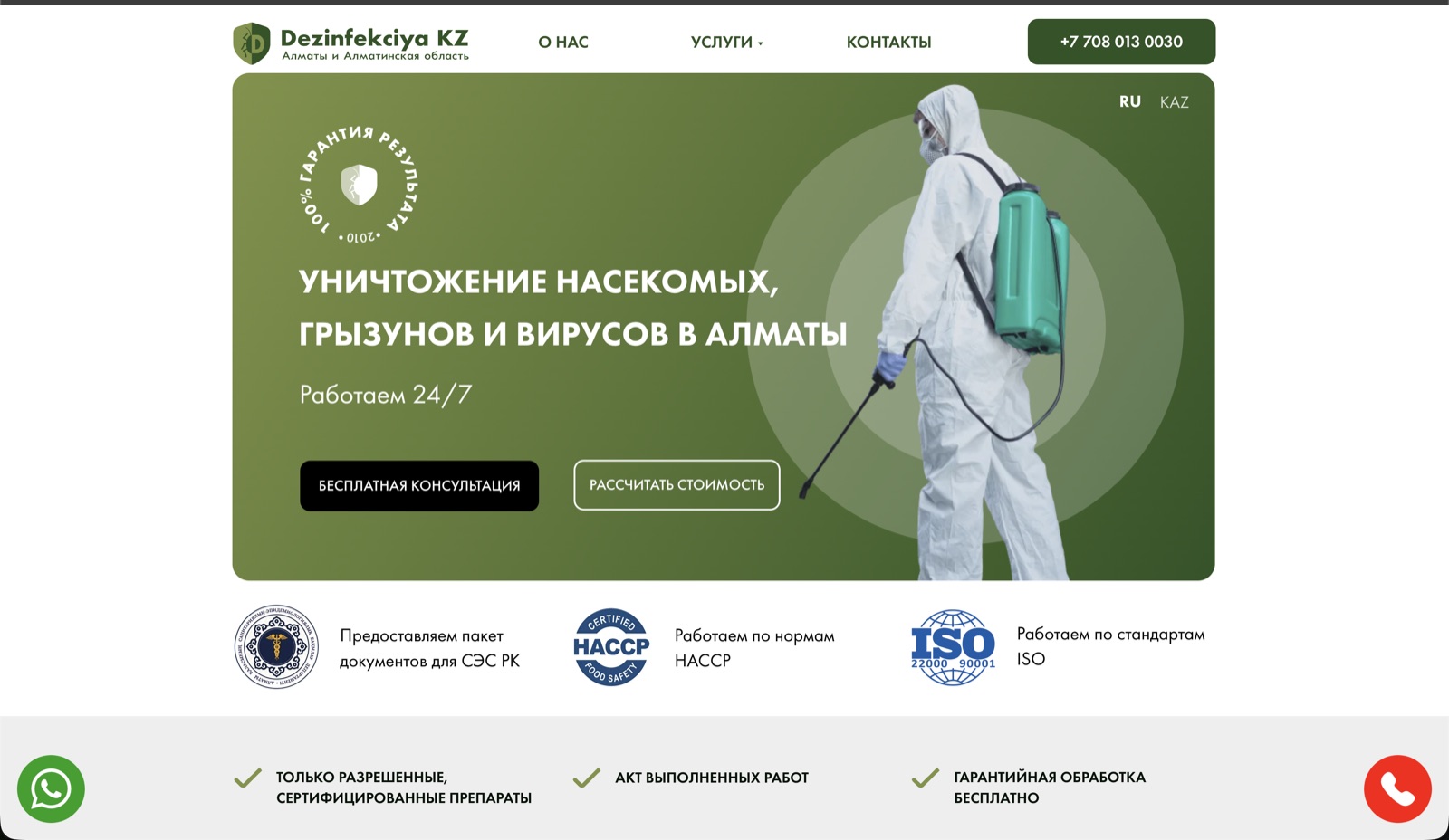
For Dezinfekciya.kz, we built the website with separate sections for insect control, rodent control and disinfection, and sent ad traffic to the matching service pages.
Landing pages and call tracking
Each service page should answer what the customer wants to know before calling: which pests you treat, how the treatment works, how to prepare the home, how soon a technician can come and what happens if the problem returns. Show your licences and certifications. Dezinfekciya.kz presented its information on HACCP, ISO and sanitary documentation and placed an enquiry form in the first screen.
Calls and forms both need tracking. Google Ads can count calls from call assets, calls to a Google forwarding number shown on your site after an ad click, with a minimum call length you choose, and taps on your number on the mobile site. Forwarding numbers work in the US but not in the UAE, so Dubai campaigns rely on tracked taps, call-asset clicks and jobs imported from your CRM or booking system.
Mark booked jobs or qualified requests as the primary conversion, since primary actions drive bidding, and keep softer actions such as page views secondary.
Budget and demand through the year
We don’t quote click prices in advance: they depend on the pest, the area and your competitors. Keyword Planner shows estimated monthly searches and the cost of showing ads for each keyword, so we use it to check demand for each service in your area, month by month, and split the test budget by campaign. Our guide to Google Ads costs in 2026 explains how the budget is built.
Google Ads setup starts from $449 and management from $329 per month; ad spend goes to Google separately. If you also need service pages, the Google Ads + website package starts from $899 to launch.
What we do in the first month
By the end of the first month, the campaigns run in your service area and every call and request is counted.
- Agree your services, the pests you don’t treat, the area your technicians cover and the hours you answer calls.
- Check demand and costs in Keyword Planner and agree a test budget for each campaign.
- Build Search campaigns by pest, with negative keyword lists, ads, and call and location assets.
- Set location targeting to the service area with the Presence option, and set the ad schedule.
- Set up and test call and form tracking, and agree which requests count as leads.
- After launch, review search terms, spend and enquiries, and compare them with your notes on which calls became jobs.